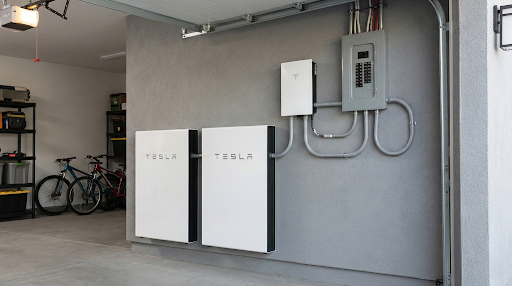
It’s another sunny afternoon in Phoenix. Your solar panels are generating electricity, and you expect your Tesla Powerwall to be storing plenty of energy for the evening.
But when you open the Tesla app, something doesn’t add up.
Your Powerwall is only 45% charged. Or maybe it stopped charging hours ago, even though the sun is still shining.
That’s frustrating, especially when you invested in battery storage to reduce electricity bills and keep your home powered during outages.
The good news is that a Tesla Powerwall that’s not charging fully doesn’t necessarily have a battery problem.
Sometimes your air conditioner is consuming most of the electricity your panels produce. Other times, the issue involves your Powerwall settings, reduced solar production, or the way the system manages charging during extreme heat.
And occasionally, there really is an electrical or equipment fault that needs professional attention.
For Phoenix homeowners, understanding the difference can save time, frustration, and potentially unnecessary repair expenses.
Here’s what to look for, what you can safely check yourself, and when it’s time to call a qualified solar technician.
Why Is My Tesla Powerwall Not Charging Fully?
A Tesla Powerwall may not charge fully because your solar panels aren’t producing enough surplus electricity, your home is consuming most of that energy, or your battery settings are controlling when charging occurs. Extreme Phoenix heat, inverter faults, communication problems, and battery protection limits can also affect charging. Monitoring data helps identify the cause.
Before assuming your Powerwall is malfunctioning, it helps to understand how electricity moves between your solar panels, home, battery, and utility grid.
How Does a Tesla Powerwall Charge From Solar Panels?
A Tesla Powerwall stores electricity for later use.
When paired with a compatible solar installation, it can capture excess solar energy during the day and supply that energy when your panels aren’t producing enough electricity.
A typical solar charging process works like this:
- Your solar panels generate electricity.
- Your home uses electricity to power appliances, lighting, air conditioning, and other loads.
- When solar production exceeds household consumption, available surplus energy can charge the Powerwall.
- Once the battery reaches its charging limit or operating target, the system manages additional solar production according to its configuration.
- Later, the Powerwall can supply stored electricity to your home based on its operating mode and reserve settings.
The exact power flow depends on the Powerwall model, inverter configuration, utility requirements, and system settings.
Why a Sunny Day Doesn’t Guarantee a Full Battery
Here’s a situation many Phoenix homeowners can relate to.
Your solar panels are producing 6 kilowatts (kW) of electricity.
But your air conditioner, pool pump, refrigerator, and other household equipment are consuming 5 kW.
That leaves approximately 1 kW of surplus power available for battery charging, before accounting for system losses and operating limits.
If your household consumption increases to 7 kW, there’s no longer a solar surplus available for charging.
Your Powerwall may stop charging even though the panels are still producing electricity.
The important number isn’t just how much solar electricity you’re generating. It’s how much remains after your home uses what it needs.
5 Common Reasons Your Tesla Powerwall Isn’t Storing Enough Solar Energy
1. Your Solar Panels Aren’t Producing Enough Electricity
A Powerwall can only store the energy available to it.
If your solar array is underperforming, the battery may never receive enough surplus electricity to reach a full charge.
Common causes include:
- Dust and dirt accumulation on solar panels
- Shade from trees, roof vents, or neighboring structures
- Inverter problems
- Damaged panels or wiring
- Reduced production during cloudy weather
- High panel temperatures
- Solar system operating restrictions
Phoenix receives abundant sunshine, but that doesn’t mean every solar system performs at maximum capacity throughout the day.
How Arizona Heat Affects Solar Panel Output
Solar panels generate electricity from sunlight, but their efficiency generally decreases as cell temperature rises.
On a hot Phoenix afternoon, panel temperatures can climb well above the surrounding air temperature.
That reduces electrical output compared with what the same panels might produce under cooler conditions with similar sunlight.
Meanwhile, household air conditioning demand is often increasing.
This creates a challenging combination: Your home needs more electricity at the same time your solar panels may be operating less efficiently.
Dust and Monsoon Conditions
Dust accumulation is another factor worth considering.
After a prolonged dry period or a dust storm, dirt may reduce the sunlight reaching your panels.
The amount of production lost varies considerably depending on the installation, weather, panel angle, and degree of soiling.
Heavy buildup can contribute to meaningful production losses, but cleaning isn’t always the solution to an underperforming system.
Review your monitoring data before assuming dirty panels are responsible.
If cleaning is needed, follow manufacturer recommendations and use a qualified provider rather than climbing onto the roof yourself.
2. Your Home Is Using Most of the Solar Electricity
For many Phoenix households, air conditioning is the largest contributor to daytime electricity consumption.
During summer, a central AC system may operate for extended periods, particularly in the afternoon.
Add other large appliances, and the available surplus can disappear quickly.
Common high-consumption equipment includes:
- Central air conditioners
- Pool pumps
- Electric vehicle chargers
- Clothes dryers
- Electric water heaters
- Electric ovens
- Multiple appliances operating simultaneously
A Practical Example
Imagine your solar system produces 35 kilowatt-hours (kWh) of electricity during a particular day.
Your home consumes 30 kWh during the same daylight period.
That leaves only about 5 kWh of potential surplus solar energy before accounting for losses, timing differences, and operating restrictions.
Even though your panels generated a substantial amount of electricity, there may not have been enough excess energy to fully recharge a Powerwall.
This is why comparing daily solar production with daily household consumption is so valuable.
What Can You Do?
Consider shifting flexible electricity usage to times when solar production is strong, while being mindful of your utility rate plan.
You might:
- Run the pool pump during appropriate solar production hours.
- Schedule laundry and dishwashing strategically.
- Adjust electric vehicle charging times.
- Review air conditioning schedules and thermostat settings.
- Avoid operating several high-demand appliances simultaneously when battery charging is a priority.
The best schedule depends on your APS or SRP electricity plan, solar production, and personal comfort.
You don’t necessarily need to use less electricity. Sometimes you simply need to use it at better times.
3. Your Tesla Powerwall Settings Are Affecting Charging
The Tesla app allows homeowners to manage how their Powerwall stores and uses electricity.
These settings can make a healthy battery appear to be charging incorrectly.
Two important operating modes are Self-Powered and Time-Based Control.
Self-Powered Mode
Self-Powered mode is designed to help your home use more of its own solar electricity.
When surplus solar energy is available, the system can charge the Powerwall for later use.
Stored energy can then help power the home when solar production is insufficient, subject to the backup reserve and other operating limits.
This mode may be appropriate for homeowners who want to maximize their use of solar energy rather than export it.
Time-Based Control
Time-Based Control is designed to optimize battery operation around electricity prices.
Depending on the system configuration and utility rate plan, the Powerwall may prioritize charging and discharging at different times to reduce electricity costs.
For Phoenix homeowners on eligible APS or SRP time-of-use plans, this can be useful.
However, if the utility rate information is outdated or the operating strategy doesn’t match your expectations, the battery may behave differently than you anticipated.
For example, it may preserve stored energy for a more expensive rate period rather than discharge it earlier.
That doesn’t necessarily indicate a malfunction.
Understanding Backup Reserve
Backup Reserve determines how much stored energy the system aims to preserve for outages.
For example, if your reserve is set to 30%, the Powerwall generally avoids discharging below that level during normal grid-connected operation.
The reserved energy remains available for backup purposes.
A high reserve setting does not inherently prevent the battery from charging to 100%. It primarily limits how much stored energy is available for routine discharge.
This distinction matters because homeowners sometimes mistake reserve behavior for a charging problem.
Which Powerwall Mode Is Best for Phoenix?
It depends on what matters most to you.
| Your priority | Setting to evaluate |
| Use more of your own solar electricity | Self-Powered |
| Reduce electricity costs under time-of-use pricing | Time-Based Control |
| Preserve energy for outages | Higher Backup Reserve |
| Make more stored energy available for everyday use | Lower Backup Reserve |
| Prepare for severe weather | Storm Watch, when available and activated |
Review your current settings before making changes.
If you’re unsure how a particular mode affects your electricity bill or backup protection, a qualified installer can help explain the tradeoffs.
4. Extreme Phoenix Heat Is Limiting Battery Performance
Tesla Powerwall systems are designed to operate across a broad range of temperatures.
However, extreme heat can still affect charging and discharging behavior.
Modern battery storage systems use thermal management and protective controls to keep internal components within safe operating conditions.
If temperatures become excessive, the system may reduce charging power, limit discharge, or temporarily suspend certain operations.
These protections help prevent damage.
How Hot Is Too Hot for a Tesla Powerwall?
The answer depends on which Powerwall model you own.
Tesla Powerwall 3 has a published ambient operating temperature range extending to approximately 122°F (50°C), although performance can be limited under certain temperature and operating conditions.
That upper operating limit shouldn’t be interpreted as a guarantee of full charging or discharging power at every temperature.
Powerwall 2 and other configurations have their own specifications.
There isn’t one universal temperature at which every Powerwall begins reducing charging performance.
The actual behavior depends on the model, internal battery temperature, operating conditions, and thermal management system.
Why Battery Placement Matters in Phoenix
Consider two installations.
One Powerwall is mounted on a shaded wall with appropriate clearance.
Another is installed on a west-facing exterior wall that receives direct afternoon sunlight.
Both may be installed in Phoenix, but their thermal environments can be very different.
Outdoor enclosures exposed to direct sunlight may experience greater heat stress.
Unconditioned garages can also become extremely hot during summer.
Potential concerns include:
- Excessive surrounding temperatures
- Restricted airflow or cooling clearances
- Direct afternoon sunlight
- Nearby equipment generating additional heat
- Installation conditions outside manufacturer recommendations
Should You Move Your Powerwall Into a Garage?
Not automatically.
A garage may provide protection from direct sunlight, but it can also trap considerable heat.
Battery placement must comply with Tesla’s installation instructions, electrical requirements, and applicable fire and building codes.
Relocating a Powerwall is a significant electrical project and should only be considered after a qualified assessment.
Can You Add Shade to an Outdoor Powerwall?
Possibly.
A properly designed shade structure may reduce direct solar exposure, but it must not interfere with required clearances, ventilation, service access, or manufacturer requirements.
Don’t build an enclosure around the battery without professional guidance.
A Powerwall rated for outdoor installation still needs to be installed in an environment that meets the manufacturer’s requirements.
5. An Inverter, Gateway, or Electrical Problem Is Interrupting Charging
Sometimes the Powerwall itself is functioning properly, but another part of the solar installation is preventing normal charging.
Possible issues include:
- Solar inverter faults
- Gateway communication problems
- Electrical connection failures
- Incorrect system configuration
- Faulty sensors or metering
- Equipment compatibility issues
- Battery management system alerts
Powerwall configurations differ by generation.
For example, Powerwall 3 incorporates solar inverter functionality, while many Powerwall 2 installations use a separate solar inverter.
That difference affects how technicians diagnose charging problems.
A communication fault may also cause the Tesla app to display incomplete or outdated information, even when parts of the system are operating normally.
Professional diagnostics can help determine whether the issue originates with the solar array, inverter, Gateway, battery, or electrical infrastructure.
Why Does My Tesla Powerwall Stop Charging Before 100%?
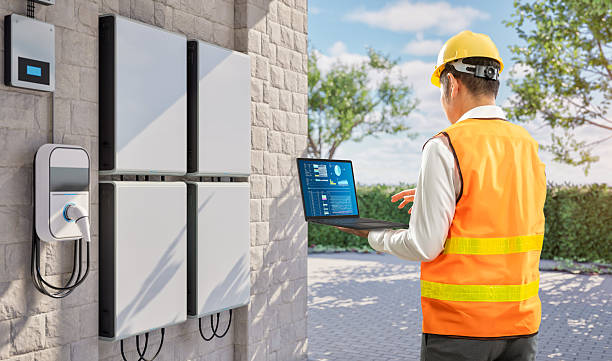
A Powerwall that repeatedly stops charging at 60%, 75%, or 90% can be confusing.
But reaching less than 100% doesn’t always mean the battery has lost capacity.
Several conditions can explain incomplete charging.
Insufficient Surplus Solar Energy
The most straightforward explanation is that the battery didn’t receive enough excess electricity before solar production declined.
If the home consumed most of the solar output, there may not have been enough energy left to complete charging.
Charging Power Restrictions
Battery protection systems can limit charging under certain temperature or operating conditions.
A charging restriction may slow the process enough that the battery doesn’t reach full charge before sunset.
Operating Modes and System Controls
Some system configurations manage charging according to utility rates, battery operating conditions, and other settings.
The battery may not always prioritize reaching 100% as quickly as possible.
Solar Production Curtailment
Sometimes a solar system intentionally reduces production.
For example, when a battery is full and the home doesn’t need additional electricity, the system may limit solar generation if exporting power isn’t permitted or available.
Curtailment can also occur because of grid or equipment operating limits.
This is an important distinction.
If solar production drops because the Powerwall is already full, that’s different from the battery failing to charge.
Battery Aging or Hardware Problems
Like other lithium-ion batteries, Powerwall batteries gradually lose some usable capacity over time.
However, battery aging doesn’t necessarily cause the displayed state of charge to stop at a particular percentage.
A persistent charging limit, especially when accompanied by errors, may require a technician or Tesla support to investigate the battery’s reported condition and operating restrictions.
How to Troubleshoot a Tesla Powerwall That Isn’t Charging
There are several useful checks homeowners can perform without opening electrical equipment.
Start with the Tesla app.
Step 1: Open the Tesla App and Check Energy Flow
The app’s energy flow display can help you understand where electricity is going.
Depending on your system, you’ll see information for:
- Solar production
- Home consumption
- Powerwall charging or discharging
- Grid imports or exports
Look at what happens during a sunny part of the day.
If solar production is 5 kW and household consumption is also around 5 kW, little or no surplus may be available for charging.
If production substantially exceeds consumption but the Powerwall consistently doesn’t charge, investigate the operating mode, battery state of charge, and any alerts.
Step 2: Check the Powerwall’s Operating Mode
Review whether your system is set to Self-Powered or Time-Based Control.
Confirm the mode matches your goals.
If you’re using Time-Based Control, check that the utility rate information is accurate and current.
Tesla app menus and available settings may vary by software version and equipment configuration.
Step 3: Review Your Backup Reserve
Look at the percentage reserved for outages.
Remember that Backup Reserve primarily affects routine discharge rather than preventing a battery from reaching full charge.
If the Powerwall appears to stop supplying electricity at the same percentage every evening, it may simply be preserving the reserve you selected.
Step 4: Check for Alerts and Error Messages
Review any notifications in the Tesla app.
Record:
- The exact message
- When the problem occurred
- Whether it happens repeatedly
- The battery’s charge level
- Solar production at the time
Screenshots can be helpful when speaking with a technician.
Step 5: Check Your Monitoring Connection
If the app isn’t updating, verify that your home internet connection is functioning.
A communication problem can make it difficult to determine what the battery is actually doing.
Don’t assume a frozen monitoring display means the battery has stopped charging.
Step 6: Compare Several Days of Production
Look for patterns.
Does the battery charge normally on cooler days but struggle during extreme heat?
Does charging improve when the air conditioner runs less?
Does the problem occur only when certain appliances operate?
Comparing similar days can help distinguish a household consumption issue from a system fault.
Step 7: Visually Check for Obvious Problems
From a safe location, look for:
- Visible equipment damage
- Warning lights
- Water intrusion
- Obstructed equipment clearances
- Unusual noises or signs of overheating
You can also note whether any clearly labeled breaker appears tripped, but don’t operate unfamiliar electrical equipment or repeatedly reset breakers.
Never open a Powerwall enclosure, disconnect battery wiring, or attempt internal electrical repairs.
Powerwall systems contain hazardous electrical energy, and improper work can create serious shock and fire risks.
Common Tesla Powerwall Charging Problems and What They May Mean
| Symptom | Possible explanation | What to check |
| Powerwall charges slowly | Limited surplus solar, high household usage, or charging restrictions | Solar production and home consumption |
| Powerwall never reaches 100% | Insufficient charging time, system controls, or equipment fault | Daily energy flow and alerts |
| Powerwall stops charging during hot afternoons | Possible temperature-related limits or changing energy demand | Temperature patterns and error messages |
| Tesla app shows no solar production | Solar inverter fault or monitoring issue | App connection and system alerts |
| Battery stops supplying power at a set percentage | Backup Reserve setting | Reserve percentage |
| Powerwall won’t charge despite substantial solar surplus | Configuration, communication, or equipment fault | Operating mode and diagnostic alerts |
| Solar production drops after battery reaches full charge | Possible solar curtailment | Battery charge level and export behavior |
| Powerwall frequently disconnects | Electrical, communication, or equipment problem | Error history and professional diagnostics |
These patterns are starting points, not definitive diagnoses.
Several different faults can produce similar symptoms.
How APS and SRP Electricity Rates Affect Powerwall Charging
Phoenix homeowners often use battery storage for more than outage protection.
They also want to reduce electricity purchases during expensive utility rate periods.
APS and SRP offer different residential electricity plans, including time-of-use options.
Depending on your plan, electricity prices may vary throughout the day.
Time-Based Control and Peak Electricity Rates
When configured appropriately, Tesla’s Time-Based Control can manage stored energy around utility pricing.
For example, the system may preserve battery energy for a period when purchasing electricity from the grid is more expensive.
That can be useful, but it also means the Powerwall may not operate exactly as it would in Self-Powered mode.
If your rate plan has changed, review the settings in the Tesla app.
An outdated rate schedule can affect the system’s intended financial optimization.
Why Battery Reserve Matters During Monsoon Season
Phoenix’s summer monsoon season can bring lightning, high winds, dust storms, and occasional utility outages.
A Powerwall with sufficient stored energy may help keep supported household loads operating during an outage.
However, the amount of backup power available depends on the battery’s state of charge, system configuration, and household demand.
If outage protection is a major priority, consider maintaining an appropriate backup reserve.
Tesla’s Storm Watch feature, where available and activated, may also adjust battery behavior in response to certain severe weather alerts.
But Storm Watch shouldn’t be treated as a guarantee that every local storm will trigger charging or that the battery will always be full before an outage.
Is Your Powerwall Too Small for Your Home?
Sometimes the issue isn’t a malfunction.
The battery may simply have less storage capacity than the household needs.
Powerwall 2 and Powerwall 3 are commonly specified with approximately 13.5 kWh of usable energy capacity per unit under their rated conditions.
How long that energy lasts depends on household electricity consumption and the system’s available output power.
A Simple Powerwall Runtime Example
Imagine your Powerwall has 13.5 kWh of usable stored energy.
If your home continuously consumes 1.5 kW, the theoretical runtime would be:
13.5 kWh ÷ 1.5 kW = 9 hours.
If your home consumes 4.5 kW, the theoretical runtime drops to:
13.5 kWh ÷ 4.5 kW = 3 hours.
Actual runtime will vary because of reserve settings, conversion losses, temperature, equipment limits, and other factors.
For Phoenix homes with substantial air conditioning demand, one Powerwall may not provide the overnight runtime homeowners expect.
Would Adding Another Powerwall Help?
Possibly.
Additional battery capacity can increase stored energy and, depending on the configuration, available output power.
But before purchasing another battery, confirm that your existing system is performing correctly.
If the problem is insufficient solar production, adding more storage may not solve it.
A larger battery still needs enough electricity to recharge.
An evaluation should consider solar array size, daily energy consumption, backup priorities, and equipment compatibility.
When Should You Call a Professional for Tesla Powerwall Problems?
Some charging concerns can be explained through monitoring and settings.
Others require specialized electrical testing.
Contact a qualified solar and battery technician if you notice:
- Repeated charging failures
- Persistent Tesla app errors
- Significant solar production without expected battery charging
- Unexplained shutdowns
- Frequent communication faults
- Temperature-related warnings
- Electrical breakers repeatedly tripping
- Sudden changes in battery performance
- Visible damage or signs of overheating
If you notice smoke, a burning smell, swelling, or other signs of a potentially dangerous battery failure, keep your distance and contact emergency services when appropriate.
What Does a Professional Powerwall Diagnostic Include?
Depending on the equipment and symptoms, a technician may:
- Review Tesla monitoring data and system alerts.
- Evaluate solar production and household consumption.
- Check relevant electrical connections and protective equipment.
- Assess inverter and Gateway operation.
- Investigate communication or metering problems.
- Review equipment placement and thermal conditions.
- Verify applicable operating settings.
- Determine whether manufacturer support or warranty service is needed.
Some Tesla diagnostic functions, firmware operations, internal repairs, and warranty procedures require Tesla authorization or access to manufacturer-controlled tools.
A qualified electrical contractor can evaluate supported external equipment and installation issues, but Tesla-restricted work must be handled through the appropriate authorized service process.
Why Electrical Troubleshooting Matters
A charging problem doesn’t always originate inside the Powerwall.
The cause could be a solar inverter, damaged wiring, electrical connection, sensor, or configuration issue.
Replacing battery equipment without identifying the underlying fault may be unnecessary and expensive.
The best approach is to determine exactly where the problem begins.
Should You Repair or Replace an Underperforming Tesla Powerwall?
A Powerwall that isn’t charging properly doesn’t automatically need replacement.
The right decision depends on the cause, equipment condition, warranty status, and manufacturer service options.
Repair or Correction May Be Appropriate When:
- Solar production is insufficient because of a repairable array problem.
- The system has incorrect operating settings.
- A communication or monitoring component is malfunctioning.
- External electrical wiring or connections require repair.
- A supported inverter or Gateway issue can be corrected.
- Tesla identifies a serviceable equipment issue.
Replacement May Be Necessary When:
- The battery has a nonserviceable internal failure.
- Tesla determines the unit requires warranty replacement.
- Equipment damage makes continued operation unsafe.
- The system is outside warranty and repair isn’t available or economical.
Check Your Tesla Warranty First
Tesla Powerwall systems generally include manufacturer warranty coverage, but terms vary by model, installation date, region, and operating conditions.
Warranty documents may address both equipment defects and retained energy capacity.
If your Powerwall is underperforming, verify its warranty status before authorizing major replacement work.
A technician may be able to help gather the monitoring data and equipment information needed for manufacturer support.
Why Phoenix Homeowners Choose Watt Masters for Solar Troubleshooting
A Tesla Powerwall is only one part of a larger electrical system.
For reliable operation, your solar panels, inverter equipment, battery, Gateway, and home’s electrical infrastructure must work together.
When something goes wrong, the cause isn’t always obvious.
Watt Masters has served Arizona since 1999, bringing decades of electrical contracting and solar experience to homeowners throughout the Phoenix area.
Our electrical-first approach focuses on identifying the actual cause of a system problem rather than assuming expensive equipment needs replacement.
For homes with Tesla Powerwall systems, we can help evaluate solar production, associated electrical equipment, installation conditions, and other issues within our service capabilities.
Where Tesla-authorized service is required, the appropriate manufacturer procedures and service channels must be followed.
We understand the challenges Phoenix homeowners face, including extreme summer temperatures, high air conditioning demand, monsoon-related outages, and APS or SRP utility rate considerations.
Our goal is straightforward: Find the problem, explain the options, and recommend the right next step for your existing system.
Get More From Your Tesla Powerwall Investment
Your Tesla Powerwall should help you make better use of the electricity your solar panels generate.
If it isn’t charging fully, don’t assume the battery is defective.
The problem may involve household electricity demand, reduced solar production, operating settings, heat-related restrictions, or another electrical component.
Understanding the cause is the first step toward improving performance.
And when the issue requires professional attention, accurate diagnostics can help prevent unnecessary repairs or replacement.
Is your Tesla Powerwall not charging properly in Phoenix?
Contact Watt Masters at (602) 485-7901 to discuss your solar system’s symptoms and request an evaluation.
We serve Phoenix, Scottsdale, Mesa, Chandler, Glendale, and surrounding Valley communities.
Frequently Asked Questions About Tesla Powerwall Charging Problems
Your home may be consuming most of the electricity your solar panels generate, leaving little surplus available for charging. Other possibilities include incorrect operating settings, inverter faults, communication problems, or battery charging restrictions.
Possible causes include insufficient surplus solar energy, charging limits, operating settings, or equipment faults. Review your Tesla app’s energy flow and error messages to determine whether the battery is receiving available solar power.
Yes. Extreme heat can affect battery operation and may trigger protective charging or discharging limits. The exact behavior depends on the Powerwall model, internal temperature, thermal management, and installation conditions.
Temperature limits vary by model. Tesla Powerwall 3 has a published ambient operating range extending to approximately 122°F (50°C), but full performance isn’t necessarily available throughout that range. Always refer to the specifications for your exact equipment.
Self-Powered mode generally prioritizes using more of your own solar electricity. Time-Based Control manages battery operation around electricity pricing. The best choice depends on your APS or SRP rate plan, household usage, and backup priorities.
Not by itself. Backup Reserve primarily limits how much stored energy the Powerwall uses during normal grid-connected operation. It doesn’t inherently prevent charging to 100%.
Your Backup Reserve may be set to that percentage. The system generally preserves the remaining energy for backup use during outages.
Yes. Dust and dirt can reduce solar production, leaving less electricity available to recharge the battery. However, production losses should be evaluated before assuming panel cleaning is necessary.
Possible explanations include household consumption exceeding solar production, operating settings, battery charging limits, or system configuration. Some conditions may also involve utility requirements or equipment faults.
Grid charging availability depends on the system’s configuration, applicable utility rules, Tesla settings, and other eligibility requirements. Not every installation has the same grid-charging options.
Higher air conditioning demand may leave less surplus solar electricity available. Extreme heat can also reduce panel efficiency or affect battery charging limits under certain conditions.
It depends on the Powerwall model, system configuration, and nature of the fault. Some installations use separate solar inverters, while Powerwall 3 includes integrated solar inverter functionality. A professional assessment is needed to determine which functions remain available.
Persistent charging errors, unexpected shutdowns, sudden performance changes, or manufacturer-reported faults may indicate a problem. These symptoms can also originate elsewhere in the system, so diagnostics are necessary before concluding the battery has failed.
Runtime depends on usable battery capacity, household electricity consumption, reserve settings, and operating conditions. A Powerwall with 13.5 kWh of usable energy could theoretically supply a continuous 1.5 kW load for nine hours, before accounting for losses and other limitations.
Possibly. Additional batteries may increase storage capacity and backup capability, but compatibility depends on the existing equipment and installation design. The solar array must also provide sufficient energy to recharge the additional storage.
Only follow Tesla’s official instructions for your specific system. Don’t repeatedly reset equipment displaying persistent electrical faults or operate unfamiliar breakers and disconnects. Contact a qualified professional when the cause is unclear.
Tesla Powerwall systems are designed for relatively low routine maintenance. However, homeowners should monitor system alerts, keep required clearances unobstructed, and arrange professional service when performance changes or faults occur.
Watt Masters can evaluate existing solar electrical systems, including installations with Tesla Powerwall equipment. The available diagnostic and repair scope depends on the system configuration and whether Tesla authorization is required for particular service procedures.
It can be valuable for homeowners who want backup power, greater use of their own solar electricity, or potential savings under applicable utility rate plans. Financial value depends on installation cost, energy consumption, rate structure, and backup priorities.
Contact a qualified technician if the Powerwall repeatedly fails to charge despite available solar production, displays persistent errors, shuts down unexpectedly, or shows signs of electrical damage or overheating.