Phoenix has no shortage of sunshine. But plenty of solar energy doesn’t necessarily mean your home has power when you need it.
Picture a July evening. Your solar panels have spent the day producing electricity, the air conditioner is working overtime, and a monsoon storm rolls through. Suddenly, the neighborhood loses power. Despite having solar panels on your roof, your home goes dark.
That’s one reason more homeowners are considering battery storage.
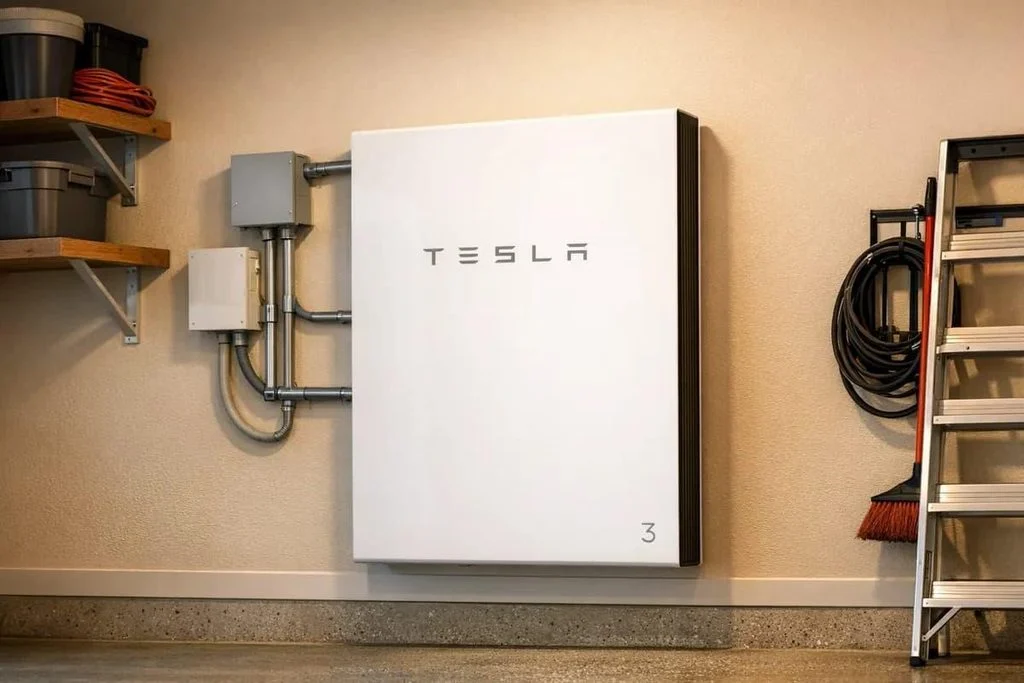
The Tesla Powerwall 3 is an appealing option. It can store electricity for later use, provide backup power during outages, and help homeowners manage electricity purchases during expensive utility rate periods.
If you’re researching tesla powerwall installation in Phoenix, it’s worth asking an important question before spending thousands of dollars: Do you actually need a Tesla Powerwall, or would another battery configuration make more sense for your home?
The answer depends on your electrical system, APS or SRP rate plan, existing solar equipment, backup expectations, and budget.
Is a Tesla Powerwall Worth It in Phoenix?
A Tesla Powerwall can be worth installing in Phoenix if you want backup electricity during outages, have expensive evening utility rates, or receive relatively little compensation for exported solar energy. However, the financial value depends on your APS or SRP rate plan, installation cost, electricity consumption, and how much backup power your household needs.
For some homeowners, one Powerwall is a sensible upgrade. Others may need additional battery capacity, especially if they want to run central air conditioning during a summer outage.
And if you already have a functioning solar system, a different battery brand might offer an easier retrofit.
What Is a Tesla Powerwall 3, and How Does It Work?
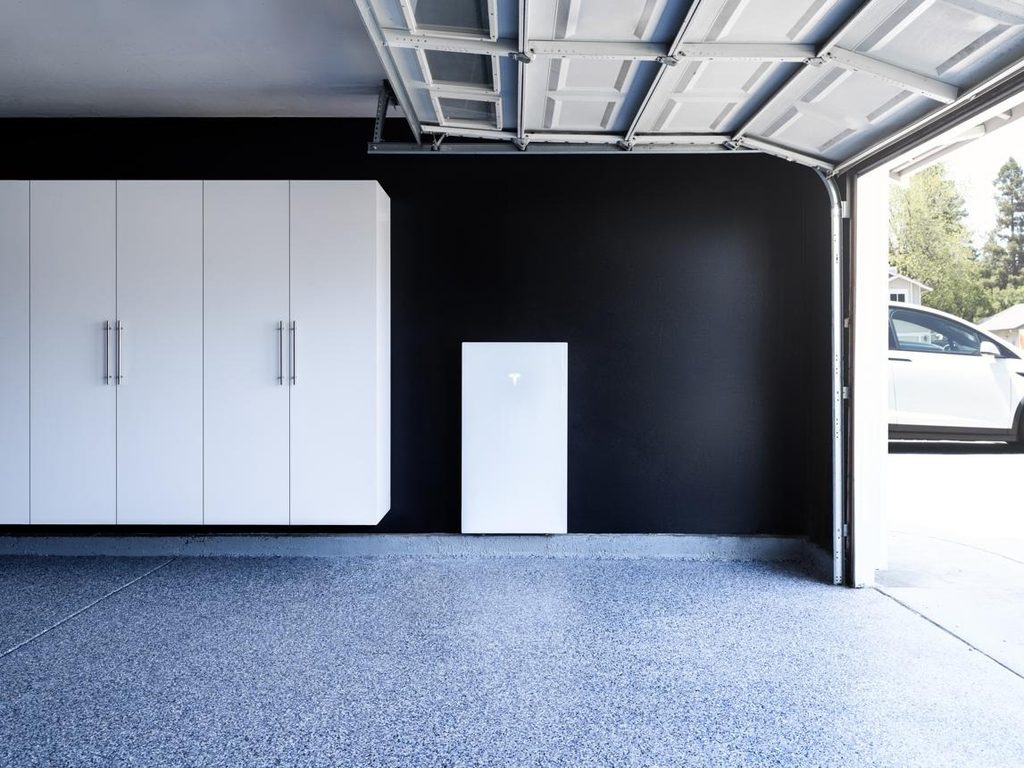
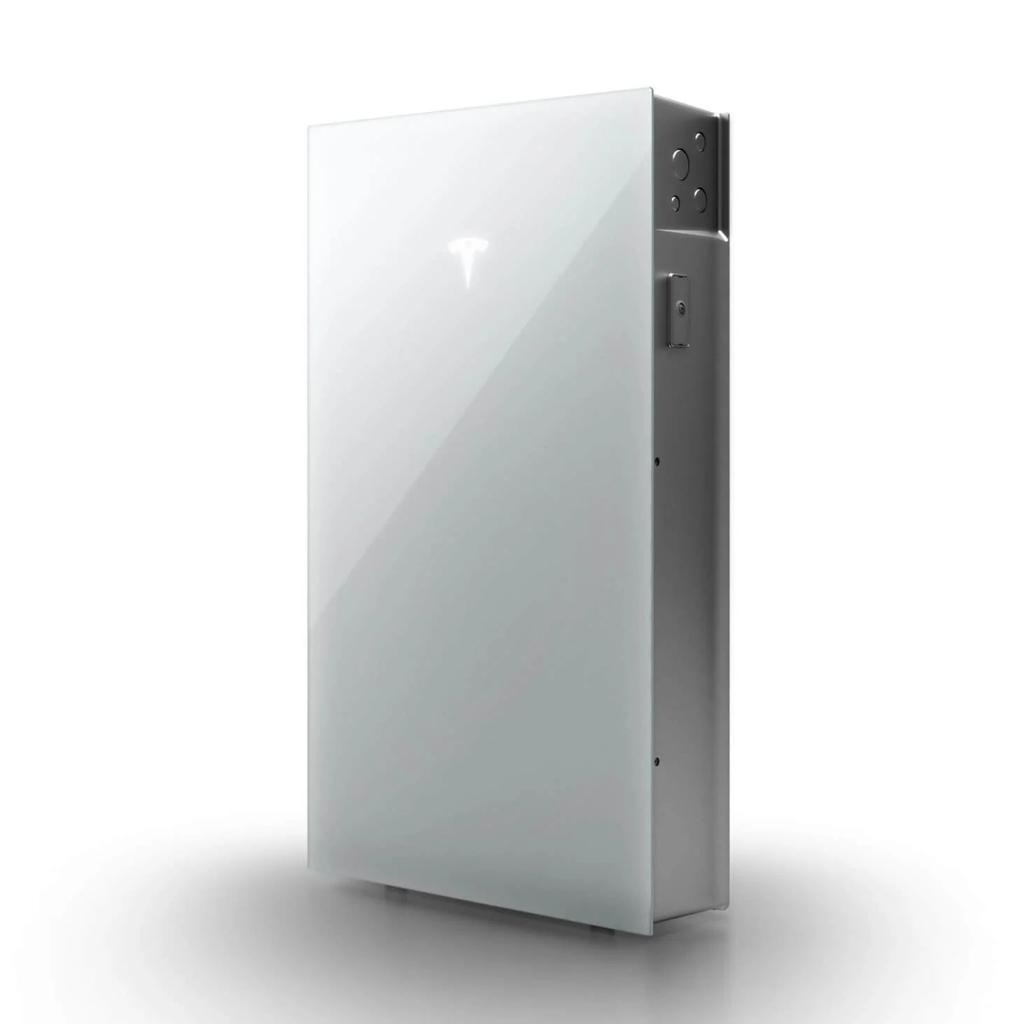
A Tesla Powerwall is a rechargeable home battery that stores electricity for use when your solar panels aren’t producing enough or when the utility grid is unavailable.
Powerwall 3 goes a step further than a conventional standalone battery. It includes an integrated solar inverter, allowing compatible solar panels to connect directly to the unit.
That makes it particularly interesting for homeowners installing solar and battery storage together.
A properly configured system can:
- Store excess solar electricity during the day.
- Supply electricity after sunset.
- Reduce grid purchases during selected high-cost periods.
- Automatically provide backup power when an outage occurs.
- Recharge from compatible solar equipment during an extended outage.
- Allow monitoring and reserve adjustments through the Tesla app.
You don’t necessarily need solar panels to install a Powerwall. It can also be configured for grid charging and backup, subject to applicable utility rules and system settings.
However, solar can make the combination more useful by providing a way to replenish stored energy when sunlight is available.
Tesla Powerwall 3 Specifications That Matter for Phoenix Homes
Not every technical specification matters equally.
For Arizona homeowners, the most important numbers are battery capacity, continuous power output, temperature limits, and compatibility with existing solar equipment.
| Feature | Tesla Powerwall 3 |
| Usable battery capacity | 13.5 kWh |
| Continuous AC power output | Up to 11.5 kW, configuration dependent |
| Motor-start capability | Up to 185 A locked-rotor current |
| Integrated solar input | Up to 20 kW DC |
| Solar tracking | 3 MPPT inputs |
| Battery chemistry | Lithium iron phosphate (LFP) |
| Operating temperature | -4°F to 122°F |
| Installation | Indoor or outdoor, subject to requirements |
| Enclosure | NEMA 3R |
| Limited warranty | 10 years, subject to terms |
| Monitoring | Tesla mobile app |
These specifications are useful, but they don’t tell the entire story.
Battery Capacity vs. Power Output
This distinction is especially important if you want to operate air conditioning.
Battery capacity, measured in kilowatt-hours (kWh), tells you how much energy the battery can store.
Power output, measured in kilowatts (kW), tells you how much electrical load it can support at one time.
A Powerwall 3 offers 13.5 kWh of usable storage and up to 11.5 kW of continuous output, depending on the installation and operating conditions.
That means it may have enough power to start and operate certain central air conditioners, but not enough stored energy to keep them running all night.
Think of it like a vehicle with a powerful engine and a relatively small fuel tank. It can handle substantial demand, but the duration still depends on how quickly you use the stored energy.
Can You Add More Tesla Powerwall Batteries Later?
Yes. Compatible Powerwall 3 installations can support additional battery capacity.
There are two important options.
Additional Powerwall 3 units provide both more storage capacity and additional inverter power.
Powerwall 3 Expansion units add 13.5 kWh of storage each but do not add another independent 11.5 kW inverter.
That’s a meaningful distinction.
If you need longer backup runtime, adding an Expansion unit may be appropriate. If you need to operate more large appliances simultaneously, an additional Powerwall 3 may make more sense.
Tesla’s supported configurations can include up to four Powerwall 3 units and three Expansion units, for a total of seven battery units and 94.5 kWh of nominal usable storage, subject to system configuration and manufacturer requirements.
Most Phoenix homes won’t need anything approaching that capacity.
How Much Backup Power Does a Tesla Powerwall Provide in Phoenix?
This is where expectations need to match reality.
A battery that easily runs your refrigerator, Wi-Fi, and lights for an evening may struggle to support central air conditioning for the same amount of time.
Estimated Backup Runtime for One Powerwall 3
Using the Powerwall 3’s 13.5 kWh usable capacity, the following estimates illustrate how electrical demand affects runtime.
| Average household load | Approximate runtime |
| 300 watts | 45 hours |
| 500 watts | 27 hours |
| 1,000 watts | 13.5 hours |
| 2,000 watts | 6.75 hours |
| 4,000 watts | 3.4 hours |
| 5,000 watts | 2.7 hours |
These are simplified calculations assuming the full stated usable capacity is available. Actual runtime will be lower when backup reserves, conversion losses, battery conditions, or other operating limitations apply.
Your home’s electrical demand also changes throughout the day.
A refrigerator cycles on and off. Lights may only run for a few hours. Air conditioning can operate for long stretches during a Phoenix summer.
That’s why battery sizing should be based on real household loads rather than a generic promise of a certain number of backup hours.
Can One Tesla Powerwall Run Central Air Conditioning?
Yes, a Powerwall 3 can operate some residential central air conditioning systems, but that doesn’t mean one battery can run your AC all night.
Many central air conditioners draw several kilowatts while operating and require substantially more current when starting.
Powerwall 3’s high power output makes it capable of supporting some demanding residential loads, but the actual compatibility must be confirmed.
A qualified electrician should evaluate:
- Air conditioner running wattage
- Compressor startup current
- Battery continuous and surge capabilities
- Other appliances operating simultaneously
- Available battery capacity
- Expected cooling demand during an outage
- Whether compatible soft-start equipment would help
In July, a central AC system can consume a significant portion of one battery’s energy in just a few hours.
If keeping the entire home cool during a prolonged outage is a priority, additional storage or a more selective cooling strategy may be necessary.
Whole-Home Backup vs. Essential-Circuit Backup
Whole-home backup sounds appealing, but it’s not always the smartest use of your money.
A whole-home configuration can supply a broad range of household circuits, provided the battery system can support the actual electrical demand.
An essential-circuit configuration focuses on selected loads, such as:
- Refrigerator and freezer
- Internet equipment
- Important lighting
- Medical devices
- Ceiling fans
- Garage door opener
- A smaller cooling system
Large loads such as electric dryers, pool pumps, electric ovens, and Level 2 EV chargers may be excluded from backup operation.
For many Phoenix households, keeping the essentials running through a monsoon outage is more practical than trying to operate every appliance normally.
The goal isn’t necessarily to power everything. It’s to keep the things that matter most working when the grid doesn’t.
Do You Need a Tesla Powerwall, or Would Another Battery Be Better?
Tesla makes capable home battery equipment, but Powerwall 3 isn’t automatically the best choice for every solar installation.
Your existing equipment and goals should determine the recommendation.
When Powerwall 3 Makes Sense
Powerwall 3 is worth serious consideration when:
- You’re installing solar panels and battery storage together.
- You want substantial power output for larger household loads.
- You want integrated solar and battery equipment.
- You prefer Tesla’s monitoring and control ecosystem.
- You want the option to expand storage later.
- Your home’s electrical infrastructure supports the proposed configuration.
The integrated inverter is particularly useful for certain new solar installations.
When Another Battery May Be a Better Fit
Another manufacturer may make more sense when:
- You already have a compatible, functioning Enphase microinverter system.
- You want to keep your existing solar inverter and simplify integration.
- You’re comparing warranty coverage and long-term service options.
- You want a battery system specifically designed to integrate with a standby generator.
- You need features or equipment compatibility not supported by the proposed Tesla configuration.
For example, an Enphase battery may be a natural fit for an existing Enphase solar system.
FranklinWH is another option worth evaluating when generator integration is an important part of the backup strategy.
Warranty terms also vary. Some competing battery products offer longer limited warranty periods than Tesla’s standard 10-year coverage, although the duration alone doesn’t tell you which warranty is better.
Capacity-retention guarantees, throughput limitations, exclusions, and service provisions matter too.
Can You Add a Powerwall 3 to an Existing Solar System?
Often, yes.
Powerwall 3 can be configured with compatible existing solar systems, including certain AC-coupled arrangements.
However, a retrofit isn’t always as simple as mounting a battery next to the electrical panel.
The installer needs to determine:
- What inverter or microinverters are currently installed
- Whether the equipment is compatible
- How the solar system will operate during an outage
- Whether existing solar warranties may be affected
- Whether the battery will require additional electrical equipment
- Whether utility interconnection changes are necessary
For some existing solar systems, retaining the original inverter makes sense.
For others, the integrated inverter in Powerwall 3 may provide a better long-term configuration.
The right answer depends on the system you already own.
How Much Does Tesla Powerwall Installation Cost in Phoenix in 2026?
A professionally installed Tesla Powerwall 3 system in the Phoenix area may cost approximately $12,000 to $16,500 for a straightforward single-unit installation. More complicated projects, especially those requiring electrical panel upgrades or multiple batteries, can cost considerably more.
These are preliminary budgeting estimates, not guaranteed local prices. A site-specific quote is necessary to determine the actual cost.
| Installation component | Estimated cost |
| One Powerwall 3, installed | $12,000 to $16,500 |
| Additional Powerwall 3 | Often $9,000 to $13,000 |
| Powerwall 3 Expansion | Varies by configuration, generally less than a complete additional Powerwall 3 |
| Main electrical panel upgrade, if needed | $1,500 to $4,000 |
| Critical-load subpanel, if needed | $500 to $1,500 |
What Affects the Installation Price?
The battery itself is only part of the project.
Installation costs can vary depending on:
- Existing solar equipment: Integrating an older inverter can require different hardware than a new solar installation.
- Electrical panel condition: An outdated or incompatible panel may need modifications or replacement.
- Battery location: Longer conduit runs, difficult access, and mounting requirements affect labor.
- Backup configuration: Whole-home backup and essential-circuit backup may require different electrical work.
- Permits and utility approval: Documentation and inspection requirements vary by jurisdiction and utility.
- Additional storage: Expansion units and additional Powerwall 3 batteries increase capacity and project cost.
Ask for an itemized estimate showing the battery equipment, backup hardware, electrical modifications, permits, and labor.
That makes it much easier to compare proposals.
Is the 30% Federal Tesla Powerwall Tax Credit Available in 2026?
No. The federal Residential Clean Energy Credit under Section 25D is no longer available for typical homeowner-owned battery installations completed after December 31, 2025.
This is an important change because many older articles and advertisements still discuss a 30% residential battery tax credit.
If you’re purchasing a Powerwall for your home in 2026, don’t subtract that credit from your installation estimate.
Different rules may apply to certain commercial or third-party ownership arrangements. Consult a qualified tax professional before relying on any proposed tax benefit.
Are There Utility Incentives for Tesla Powerwall in Arizona?
APS and SRP have offered programs that compensate eligible battery owners for participating in utility-managed energy events.
For example, APS Storage Rewards offers bill credits based on the battery’s average power contribution during designated conservation periods. Under its published pilot terms, compensation is $110 per average kilowatt of contribution over the season.
These programs are different from an upfront installation rebate.
Participation may require allowing the utility or participating battery platform to use stored energy during certain events.
Before enrolling, verify current program availability, battery eligibility, compensation, event schedules, and your ability to preserve backup capacity.
APS vs. SRP: Can a Tesla Powerwall Lower Your Electric Bill?
A Powerwall’s financial value depends on more than how much electricity it stores.
For Phoenix homeowners, the utility rate plan can make a substantial difference.
APS: Store Solar Energy Instead of Exporting It
APS compensates many solar customers for excess electricity exported to the grid through an applicable export credit arrangement.
When that credit is lower than the price of electricity purchased later, storing excess solar production may be financially beneficial.
For example, imagine you receive approximately 6 cents per kWh for exported electricity but pay 15 cents per kWh for electricity during an evening period.
Using your own stored solar energy can be more valuable than exporting it earlier and buying electricity back later.
However, battery losses, time-of-use rates, and other charges affect the actual savings.
Homeowners with older, grandfathered net-metering agreements should be particularly careful. Their existing export benefits may make battery storage less attractive for bill savings alone.
In that situation, outage protection may be the stronger reason to install a Powerwall.
SRP: Evening Usage and Demand Charges Matter
SRP offers different residential solar rate plans with varying structures for electricity purchases, demand charges, and export compensation.
On certain export plans, exported electricity earns a relatively modest credit compared with the retail cost of electricity.
A battery may help by shifting midday solar generation into evening consumption.
On demand-based plans, it may also help manage peak electrical demand when configured appropriately.
However, the savings depend on how the battery operates and the household’s actual usage patterns.
Some older SRP plans are also scheduled for retirement, including certain plans ending with the November 2029 billing cycle.
Before investing in storage, confirm your current plan and any upcoming transition.
How to Use the Tesla App to Balance Savings and Backup
One useful Powerwall feature is the ability to manage your backup reserve.
For example, you might choose to preserve 20% to 30% of stored energy for unexpected outages during monsoon season.
That leaves less energy available for daily bill optimization, but it provides a reserve if the grid fails.
The ideal setting depends on your household, utility rate plan, outage concerns, and battery capacity.
A battery that has been discharged to maximize savings can’t provide the same immediate backup duration as one that’s fully charged.
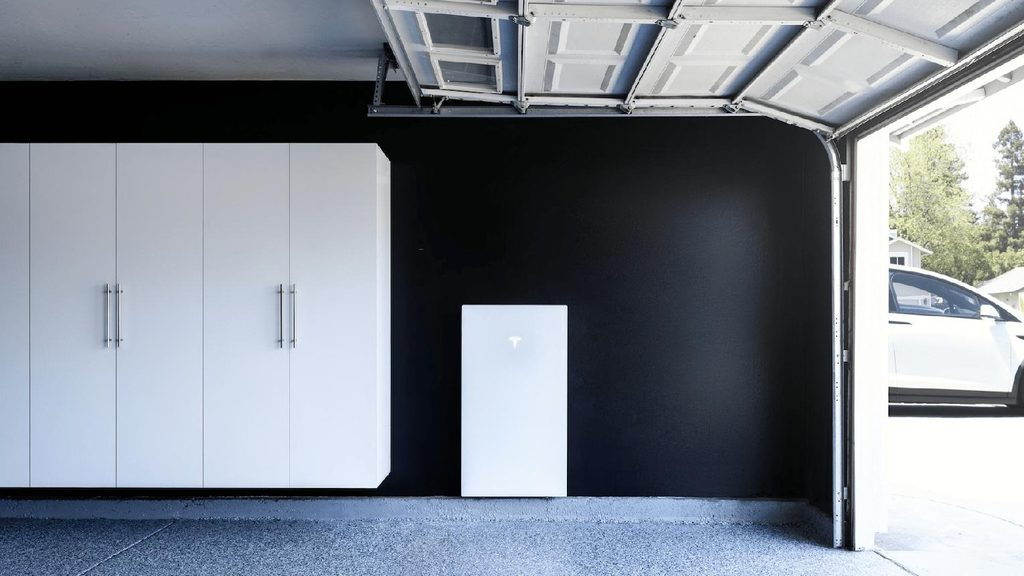
Where Should a Tesla Powerwall Be Installed in Phoenix?
6
Phoenix heat deserves special attention when planning battery placement.
Tesla Powerwall 3 is designed for indoor or outdoor installation and has a published operating temperature range of approximately -4°F to 122°F.
However, operating within that range doesn’t mean performance remains identical at every temperature.
Battery output may be reduced under high-temperature conditions, including temperatures above approximately 104°F.
That’s a meaningful consideration in Arizona.
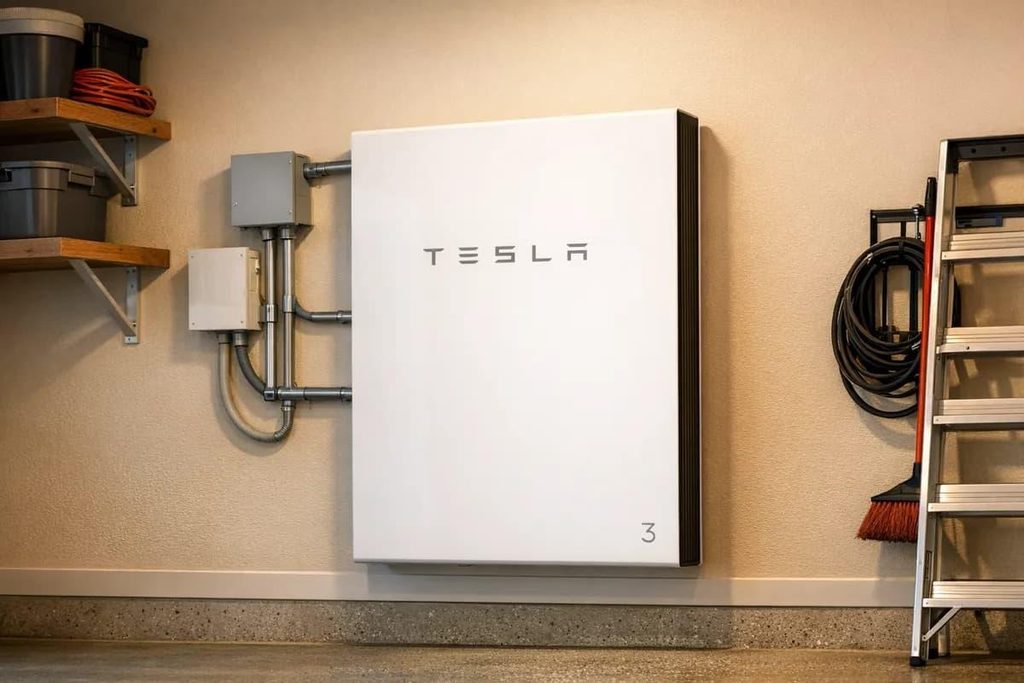
Garage Installation
A suitable garage can offer protection from direct sunlight and convenient access for maintenance.
However, an unconditioned Phoenix garage can become extremely hot during summer.
The installer still needs to verify the battery’s operating environment, mounting requirements, and applicable safety clearances.
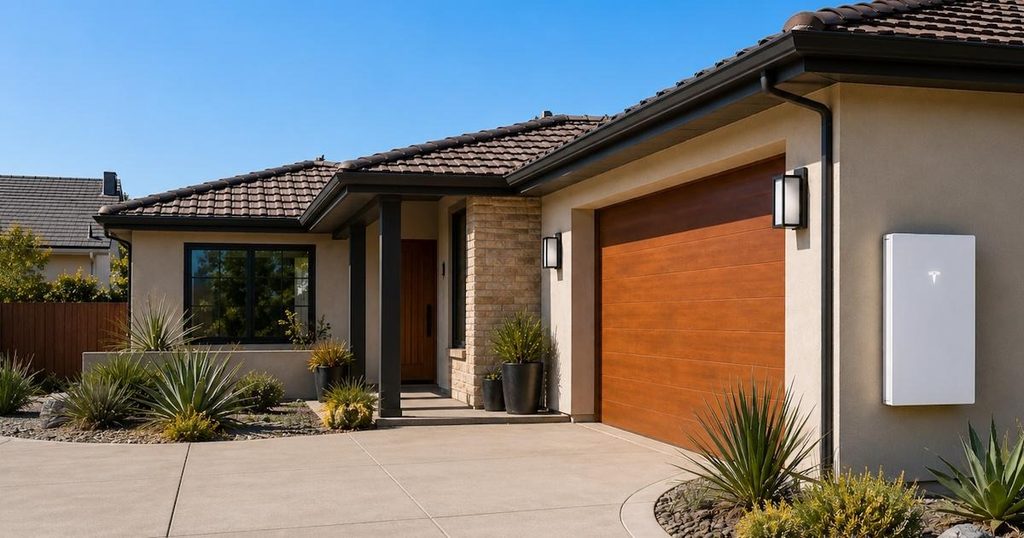
Shaded Exterior Installation
An appropriately shaded exterior wall can also work well when the equipment is approved for the location.
North-facing or east-facing walls may experience less intense afternoon sun than exposed west-facing walls.
The actual site conditions matter more than compass direction alone.
Locations That Deserve Extra Caution
Avoid assuming that any available wall is suitable.
Potential concerns include:
- Unshaded walls exposed to prolonged afternoon sun
- Poorly ventilated sheds
- Attics with extreme summer temperatures
- Areas exposed to flooding
- Locations with insufficient electrical working clearance
- Mounting surfaces that cannot support the equipment
Powerwall 3 weighs approximately 287 pounds, so the supporting structure also matters.
A qualified installer should evaluate mounting, temperature exposure, access, and applicable electrical and fire requirements before finalizing the location.
What Does Tesla Powerwall Installation Involve?
A Powerwall installation is more than attaching a battery to a wall.
The system needs to integrate safely with your home’s electrical service, solar equipment, and utility connection.
1. Electrical and Solar Site Assessment
The process begins with evaluating the property.
An installer should inspect:
- Main electrical panel
- Service capacity
- Existing solar inverter or microinverters
- Solar array size
- Household energy consumption
- Major electrical loads
- Proposed battery location
- Available wall or floor space
- Existing utility rate plan
Older Phoenix homes may have electrical infrastructure that requires modifications before storage can be installed.
2. Battery Sizing and Backup Design
Next, the installer determines whether one Powerwall 3, an Expansion unit, or multiple batteries make sense.
This includes deciding which circuits will receive backup power and whether large appliances can operate during an outage.
If central air conditioning is a priority, its electrical requirements should be evaluated before selecting the battery configuration.
3. Backup Equipment and Electrical Integration
Depending on the installation, a Powerwall system may require a compatible Tesla Backup Gateway or Backup Switch.
This equipment helps manage the home’s connection to the utility grid and allows properly configured backup operation.
The project may also include:
- New electrical wiring and conduit
- Disconnects
- Metering equipment
- Backup load panel modifications
- Electrical panel upgrades
- Solar inverter integration
- Safety labels and required shutdown provisions
4. Permits and Utility Interconnection
Phoenix-area installations must comply with applicable electrical, building, and fire requirements.
The local permitting authority depends on the property’s location.
APS or SRP may also require interconnection documentation or approval.
For homeowners with existing solar, the contractor should determine whether the project can be processed as a modification to the existing system and whether the change affects any grandfathered utility benefits.
5. Installation, Inspection, and Commissioning
Once approvals and equipment are in place, a straightforward residential Powerwall installation may take approximately one to two days of physical work.
More complex electrical upgrades can extend the installation.
Afterward, the contractor should verify:
- Proper battery charging and discharging
- Backup transfer operation
- Solar integration, when applicable
- Monitoring connectivity
- Battery reserve settings
- Safe shutdown procedures
- Correct operation of the selected backup circuits
The overall project timeline is usually longer than the physical installation because design, permitting, utility review, and inspections must also be completed.
What Should You Confirm Before Signing a Powerwall Installation Contract?
Before making a decision, get clear answers to the following questions.
- How much backup power will I actually have? Ask for estimated runtime based on your household’s loads, not a generic marketing figure.
- Will the system run my air conditioner? Confirm both startup capability and expected operating duration.
- Do I need one Powerwall, an Expansion, or multiple complete units? Make sure the recommendation addresses your actual power and storage requirements.
- Is the proposed battery compatible with my existing solar equipment? Ask how the system will operate during a grid outage.
- Will my electrical panel need upgrading? Get any additional work included in the written estimate.
- How will the battery handle Phoenix’s summer heat? Review the installation location and manufacturer requirements.
- Will my APS or SRP agreement change? Confirm how the retrofit affects your existing interconnection and rate arrangement.
- What’s included in the price? Look for equipment, permits, backup hardware, labor, and electrical modifications.
- What does the warranty cover? Understand the 10-year limited warranty, applicable capacity guarantees, exclusions, and service process.
- Who handles service after installation? Know who to contact if the equipment stops working or communicating.
A detailed proposal should make these answers easy to find.
If you’re left guessing about what you’re buying, the design conversation isn’t finished.
Why Choose Watt Masters for Home Battery Installation in Phoenix?
Installing a home battery is ultimately an electrical project.
The equipment may be sophisticated, but the fundamentals still matter: proper wiring, compatible components, safe electrical integration, code compliance, and a design that works for the property.
Watt Masters has served Arizona since 1999, with a background in electrical contracting and solar installation.
That experience is particularly valuable when adding storage to an existing system.
An older inverter, crowded electrical panel, unusual service configuration, or incompatible component can change the installation considerably.
Rather than starting with a particular product, the better approach is to understand your home’s electrical infrastructure and what you want the battery to accomplish.
A Tesla Powerwall may be an excellent choice.
But if another battery configuration better fits your existing equipment, budget, or backup requirements, that’s worth understanding before making the investment.
The benefits of solar battery backup depend on how well the system is designed around your home’s electrical needs and backup requirements. Solar and battery storage should be designed around your home, not the other way around.
Is a Tesla Powerwall Right for Your Phoenix Home?
Tesla Powerwall 3 offers an appealing combination of energy storage, high power output, solar integration, and app-based control.
For Phoenix homeowners concerned about monsoon outages, evening electricity costs, or getting more value from existing solar panels, it deserves consideration.
But it’s not a one-size-fits-all solution.
One battery may be enough to keep essential circuits operating through a typical outage. A larger household wanting central air conditioning and whole-home backup may need additional storage.
Your existing inverter, electrical panel, APS or SRP rate plan, and installation location also influence the decision.
Before spending thousands of dollars, make sure the system is designed for what you actually need.
Considering Tesla Powerwall installation in Phoenix?
Contact Watt Masters to discuss your existing electrical system, backup goals, and home battery options. We’ll help you understand what makes sense for your property.
Frequently Asked Questions About Tesla Powerwall Installation
One Powerwall 3 stores 13.5 kWh of usable energy. Actual backup runtime depends on household electricity consumption, reserve settings, and system operating conditions. Essential circuits may run for many hours, while central air conditioning can consume that energy much more quickly.
Yes, Powerwall 3 can operate certain residential central air conditioning systems when their running and startup requirements are compatible with the battery’s power output. However, a single battery may provide only a few hours of cooling during a hot summer evening.
It depends on your household’s electrical loads and desired backup duration. One Powerwall 3 may support many residential circuits, but larger homes or households that want extended central AC operation may need multiple units.
Yes. Tesla supports compatible configurations with multiple Powerwall 3 units and Expansion units. A complete Powerwall 3 adds storage and inverter power, while an Expansion adds storage capacity without another independent inverter.
Not necessarily. An Expansion adds 13.5 kWh of storage but does not independently increase the continuous inverter output of the connected Powerwall 3. If simultaneous electrical demand is the problem, an additional complete Powerwall 3 may be more appropriate.
Powerwall 3 is rated for operation in temperatures up to approximately 122°F, although output may be reduced at high temperatures. Proper placement, mounting, and compliance with manufacturer requirements are particularly important in Phoenix.
Yes. A Powerwall can be installed for grid charging and backup without rooftop solar, subject to equipment configuration and applicable utility requirements. However, without solar, the battery won’t have an on-site generation source to recharge it during an extended grid outage.
Often, yes. Compatible existing solar systems can be evaluated for Powerwall integration, including certain AC-coupled configurations. The installer should verify equipment compatibility, electrical requirements, warranty considerations, and backup operation before recommending a design.
Some existing Enphase solar systems can be integrated through compatible AC-coupled arrangements. However, the specific microinverter generation, system configuration, and backup requirements must be evaluated. An Enphase battery may also be worth comparing.
Yes, when the solar equipment and Powerwall are configured for compatible backup operation. Existing solar systems may have additional integration requirements, and solar charging capability during outages should be confirmed before installation.
A straightforward single Powerwall 3 installation may cost approximately $12,000 to $16,500, although actual pricing varies. Electrical upgrades, additional batteries, installation location, and backup equipment can increase the total.
No. The federal Residential Clean Energy Credit ended for qualifying expenditures after December 31, 2025. Typical homeowner-owned Powerwall installations completed in 2026 are not eligible for that former 30% residential credit.
Not automatically. However, battery installation may require updated utility interconnection documentation and could affect certain existing arrangements. Review your current rate plan and any grandfathered benefits before authorizing modifications.
Not simply because you own one. Optional battery participation programs may allow scheduled utility dispatch in exchange for bill credits or other compensation. Review program terms, enrollment conditions, and backup reserve options before participating.
The Tesla app allows homeowners to monitor battery charge, energy consumption, solar generation when integrated, and grid activity. It also provides controls for certain operating modes and backup reserve settings.
Tesla provides a 10-year limited warranty for Powerwall 3, subject to its terms and conditions. Actual battery life depends on usage, operating temperatures, charging patterns, and other factors. Review warranty coverage and capacity-retention provisions when comparing systems.
Physical installation may take one to two days for a straightforward project. Design, permits, utility approval, equipment availability, inspection, and commissioning typically make the full process several weeks or longer.
It can be, especially if you want outage protection or your utility plan makes storing excess solar energy more valuable than exporting it. However, the investment should be evaluated against installation cost, expected bill savings, and the performance of your existing solar system.